



Key Takeaways
- HD Surround Vision blends four camera feeds into a bird's-eye view of your Buick, plus front, rear, and 3D perspectives.
- It's designed for low-speed driving like parking and tight turns, typically under about 8 mph.
- You'll pick your view from a button bar on the touchscreen, and the camera display appears automatically in Reverse.
- The available Surround Vision Recorder saves video from those same cameras to your own USB drive in two-hour loops.
- It works alongside other Buick tech like Adaptive Cruise Control, Front Pedestrian Braking, Super Cruise, and an available 30-inch display.
What Is Buick's HD Surround Vision?
At its core, Buick Surround Vision is a multi-camera setup that gives you a virtual overhead view of everything around your vehicle. The HD version takes it further with digital cameras, crisper images, and more selectable views. Buick built it to help you park and avoid vehicles and objects you might not otherwise spot, whether that's a low curb, a stray shopping cart, or the bike your kid left in the driveway.
Does it replace checking your mirrors and glancing over your shoulder? Not at all. Think of it as an extra set of eyes that never gets distracted.
How the Buick Camera System Works
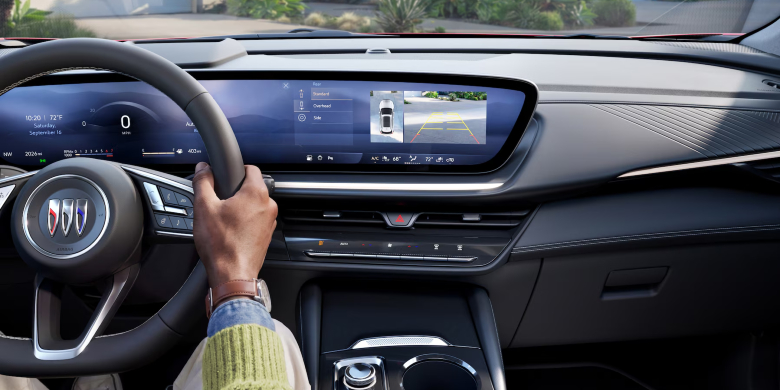
Your Buick camera system pulls footage from four spots: one rear camera, a forward-facing camera in the grille or emblem area, and one on each side mirror. Software stitches those feeds into a single top-down image, with a digital version of your Buick sitting right in the middle.
Shift into Reverse, and the Buick reverse camera view usually appears next to that overhead image, depending on the model. Shift back into a forward gear, and the front camera view takes over. Guidelines can also show where your vehicle is headed, which is a lifesaver when you're threading between a parking garage pillar and somebody's oversized pickup.
It's meant for slow, careful maneuvering. In most vehicles, the views won't display once you're moving faster than about 8 mph.
How to Use HD Surround Vision
Wondering how to use HD Surround Vision without digging through menus? Good news: it's pretty intuitive. Put the vehicle in Reverse, and the camera display pops up on its own. Want it while creeping forward into a spot? Just open the camera app on your touchscreen.
From there, a button bar on the side or bottom of the screen (it varies by model) lets you choose:
- Front or Rear Camera View: the area directly ahead of or behind you.
- Surround View: the classic top-down, bird's-eye image.
- 3D Bowl View: your Buick and its surroundings from several angles. Tap the perspective icon you'd like.
Recording With the Buick Surround Vision Recorder
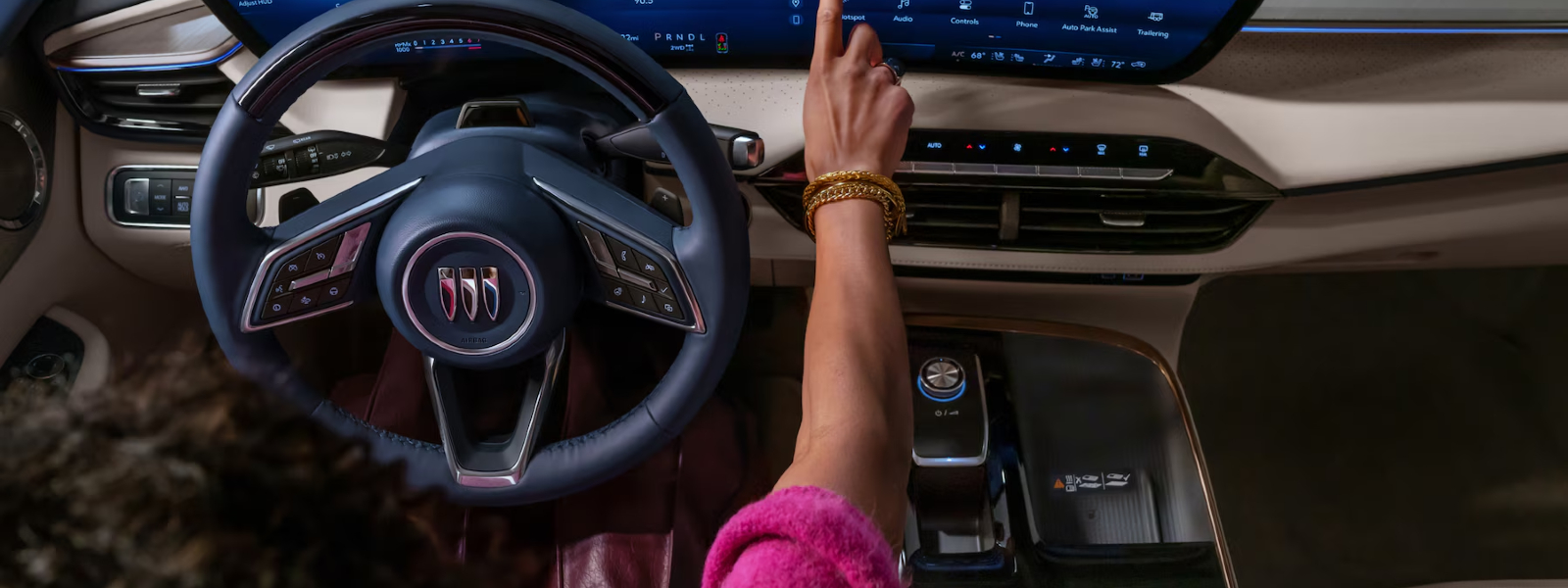
This is where things get really handy. The available Buick Surround Vision Recorder lets you record, watch, and save video from the same cameras, almost like having a built-in dash cam. You'll need your own USB drive plugged into a data-capable port, since not every USB port in the cabin qualifies. Your Owner's Manual shows which one to use.
The system records in two-hour loops and doesn't capture audio. On some vehicles, it'll even start recording automatically if the alarm goes off. And your footage stays yours: GM doesn't collect it, and it's only accessible from your USB drive. Just remember to use the eject option in the Recordings app before pulling the drive, and always follow local recording laws.

Other Buick Technology Features Worth Knowing
HD Surround Vision is only one part of the story. Across our lineup, Buick technology features cover convenience, comfort, and confidence behind the wheel. A few favorites:
- Adaptive Cruise Control: follows a detected vehicle ahead at a gap you choose and works like regular cruise when the road's clear.
- Front Pedestrian Braking: can alert you and apply hard emergency braking if it detects a pedestrian directly ahead, though nighttime and low-visibility performance is limited.
- Super Cruise: available hands-free driver assistance on compatible roads.
- Available 30-inch display: the Buick infotainment system reaches a 30-inch diagonal screen, the largest in its class, with available in-vehicle apps for music, podcasts, and news.
- Comfort and connectivity: QuietTuning with Active Noise Cancellation, available wireless charging, OnStar, and the myBuick app for remote commands.
Many of these Buick safety features fall under the Buick Driver Confidence umbrella, designed to keep you alert and aware every mile.
See the Whole Picture Before You Park
Parking shouldn't feel like a guessing game, and with HD Surround Vision, it doesn't have to. It turns tight driveways, crowded lots, and narrow garages into something you can handle calmly. Pair it with the recorder and Buick's broader tech lineup, and you've got a vehicle that genuinely looks out for you.
Want to see it in action? Stop by Elk Grove Buick GMC, and our team will show you exactly how it works on the models that offer it. We'll even let you try parallel parking with it. No pressure, just a better view.
Frequently Asked Questions
Elk Grove Buick GMC
8450 Laguna Grove Dr, Elk Grove, CA 95757
(916) 545-7876
Monday – Sunday: 9:00 AM – 8:00 PM